Camper Update Tool
This tool will guide you through updating your systems firmwares. Please follow the steps below.
Important:
Please ensure your vehicle's engine is running. Turn off all accessories (such as the heater or air conditioning), and make sure your phone is not connected to Android Auto or CarPlay.
Step 1: Open the Software Update Page on Your Touchscreen
-
On the Touchscreen, tap the
Settings
 icon.
icon.
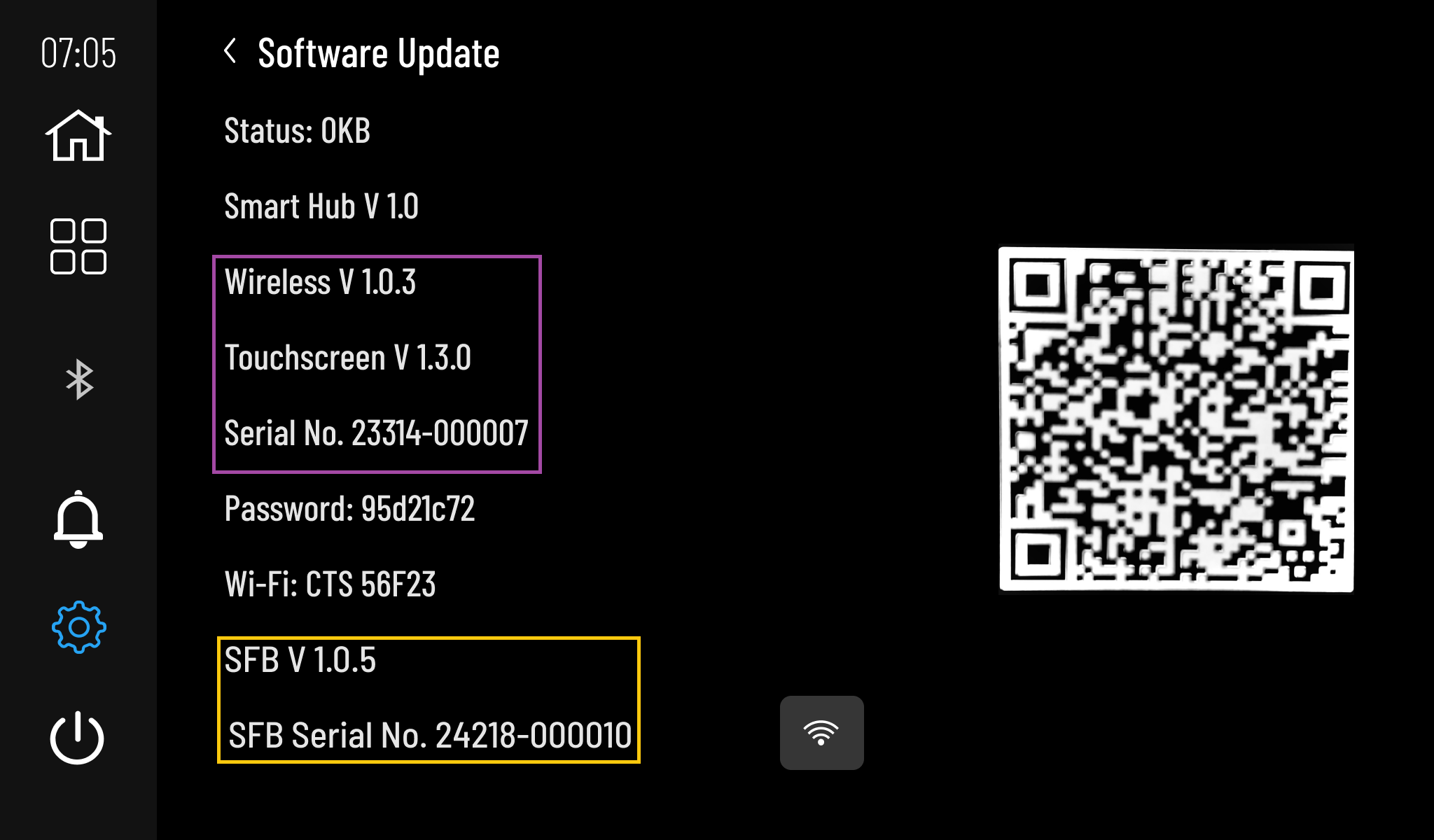
- Select Software Update.
Example Touchscreen Software Update Page
Step 2: Enter update information
Step 3: Firmware Download
Firmware details will appear here.
Step 4: Upload Firmware
Select a device above to begin.